
How to Choose a Fingerprint Browser: Fingerprints and Environment Isolation Explained
Running several accounts out of one browser goes wrong in very concrete ways: logins do not survive the session, sessions overwrite each other, a teammate taking over has to rebuild everything, and a new laptop wipes your setup. Here is how browser fingerprints work, what incognito mode and a proxy each actually do, and why one isolated environment per account suits long-running, multi-person, multi-region account work.
1. Incognito Plus a Proxy Is a Poor Fit for Running Many Accounts
An incognito window is fine for opening a clean session once. It was not built for managing many accounts over time. Close the window and everything goes with it — login state, cookies and local storage — so the next session starts with logging in and re-verifying all over again. And when several accounts are signed in inside one ordinary browser, they share a single cookie space, so the newest login overwrites the last one and the working day turns into a loop of signing out and signing back in. A proxy changes one thing, the exit IP; timezone and language still come from the local machine, so on-page language, dates and currency can differ from the market you are actually serving. The setup also lives only on your computer — a teammate taking it over starts from scratch, and so do you on a new machine.
- Incognito clears on close — login state and local storage do not persist
- Accounts in one browser share a cookie space, so logins overwrite each other
- A proxy changes the exit IP; timezone and language stay local
- The setup lives on one computer — handovers and new laptops mean rebuilding it
2. How Browser Fingerprints Work: Read, Not Stored
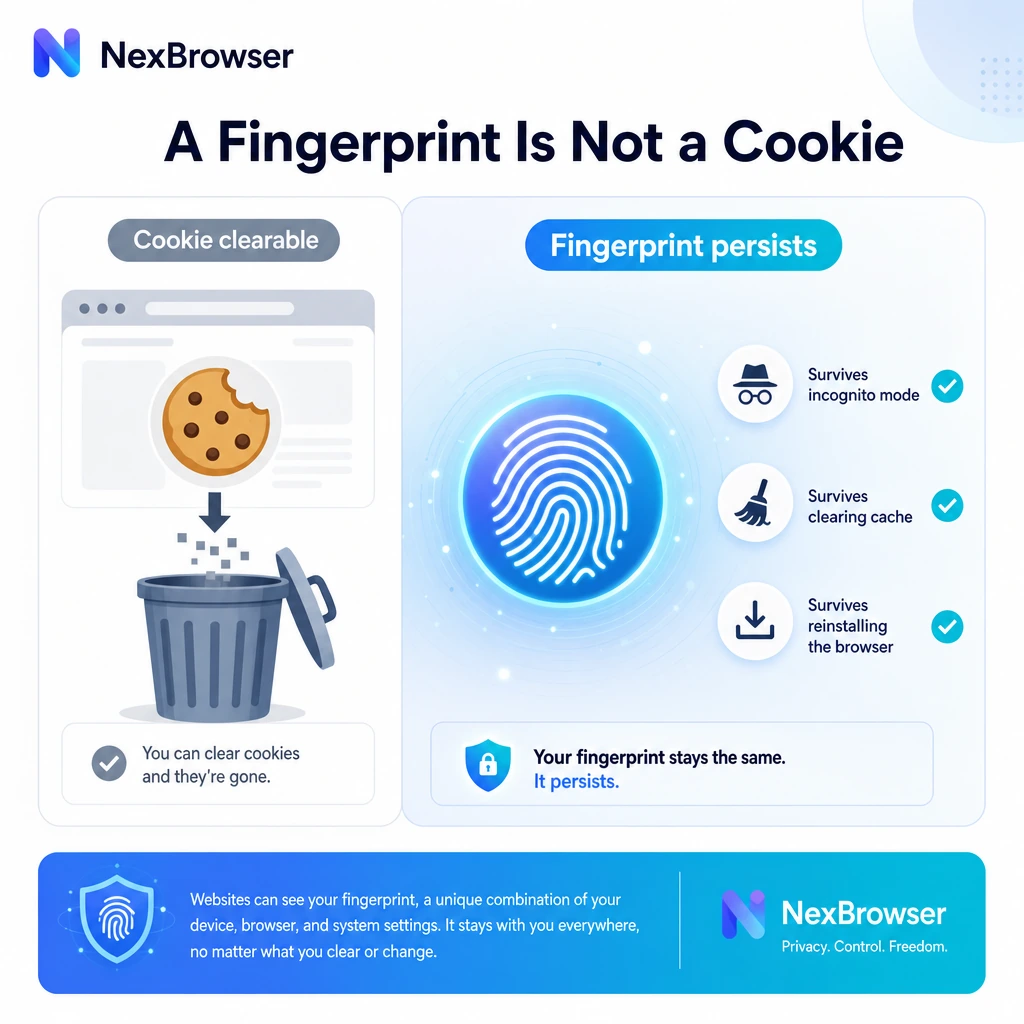
A cookie is data a site writes into your browser; you can clear it, or skip saving it with incognito mode. A browser fingerprint is not stored data — it is a set of environment parameters a page reads through JavaScript: User-Agent, screen resolution, timezone, language, font list, Canvas / WebGL rendering results, AudioContext, hardware concurrency and more. They follow from your hardware, operating system, fonts and GPU rendering, which is why clearing the cache, opening an incognito window or even reinstalling the browser leaves them essentially the same — there is no clear button for them. The practical takeaway: if you want each account to have a stable, reusable, portable working environment, these parameters need to be configured and saved at the environment level, alongside the proxy, timezone and language, rather than managed by clearing browser data. When those settings are internally consistent, on-page language, timezone and currency render for the region you set.
- Fingerprint parameters are read from the environment, not stored data you can clear
- Incognito does not change them, and does not keep your login state either
- Clearing cookies, clearing cache and reinstalling leave them essentially unchanged
- Saved together with proxy, timezone and language, they become a reusable, portable profile
3. How NexBrowser Does It: One Independent Environment Per Account
NexBrowser is built on the Chrome core and gives every account its own environment: its own cookies, cache and local storage, its own browser fingerprint parameters, and its own proxy configuration. Login state lives inside the environment, so closing and reopening it leaves you signed in. Many environments run at the same time and their sessions never overwrite one another, so switching accounts no longer means signing out first. Each environment can carry the timezone and language of the region a project serves, so pages render the way that market sees them and you are reviewing localized content and checkout details as they really appear. Environments can be grouped, tagged, annotated and assigned to teammates by role — colleagues inherit a working configuration instead of rebuilding one, and nobody passes passwords around. Configurations export and move between machines, so swapping laptops does not cost you a day.
- Own cookies, cache and local storage per environment — logins persist
- Many environments online at once, with sessions that never overwrite each other
- Per-region timezone, language and proxy so pages render for the market you serve
- Group environments, assign them by role, and move them between machines
About NexIP (Proxy IP Service)
NexIP (nexip.net) is the same-ecosystem residential proxy IP service that pairs with NexBrowser. It covers many countries and regions, offers dynamic (auto-rotating) and static (long-term fixed) IPs, supports selection by country / city / ASN / carrier, and provides a developer API. Inside NexBrowser, each environment can be bound to its own exit route, kept in line with that environment's timezone and language settings, so you can organize account environments by the region your business serves.
Visit NexIPFrequently Asked Questions
Can incognito plus a proxy replace a fingerprint browser?
For a one-off session, sure. For managing many accounts over time, no. Incognito clears on close, so login state does not persist; several accounts inside one browser share a cookie space and overwrite each other; and a proxy only changes the exit IP, leaving timezone and language local. A fingerprint browser saves all of that as an independent, reusable configuration you can hand to someone else.
What is a browser fingerprint, and why does clearing cookies not change it?
A browser fingerprint is a set of environment parameters a page can read: User-Agent, resolution, timezone, language, font list, Canvas / WebGL rendering results and so on. They follow from your hardware, operating system and the browser itself — read rather than stored — so clearing cookies, clearing the cache or reinstalling the browser does not change them.
How should I choose a fingerprint browser? What should I compare?
A few things worth checking: whether the core tracks mainline Chromium; how many fingerprint parameters are configurable and whether Windows, macOS, Android and iOS templates ship with it; whether grouping, tags and notes are good enough for your volume; whether you can assign environment access to teammates by role without sharing passwords; whether proxies can be bound per environment and imported in bulk; whether there is a local API plus Selenium / Puppeteer / Playwright integration; and whether configurations export and move between machines.
Is using a fingerprint browser legal?
NexBrowser is general-purpose account environment management software. Please follow the terms of service of every platform you use. Our Acceptable Use Policy prohibits using this software for fraud, impersonation, or unauthorized access to other people's systems.
Is NexBrowser free?
NexBrowser has a non-expiring free tier of 1 member and 10 windows. Every feature — multi-environment management, browser fingerprint parameter configuration, environment isolation and the automation API — is available on every plan, with no feature gating. Additional windows and seats start at 0.30 USDT per window per 30 days.
Give Every Account Its Own Reusable Browser Environment
Download NexBrowser and create isolated browser environments for free: logins persist, sessions never overwrite each other, and configurations move between teammates and machines.
Get Started Free