In the compliant operations of mainstream platforms such as Amazon, TikTok, Facebook, and LinkedIn, multi-account management browsers have become the core infrastructure for cross-border e-commerce sellers and overseas social media marketing teams. Traditional browsers that manage multiple accounts by switching cookies or using incognito/private modes are easily identified by platform algorithms due to device fingerprint overlap or abnormal network environments, leading to account association checks or even restrictions.
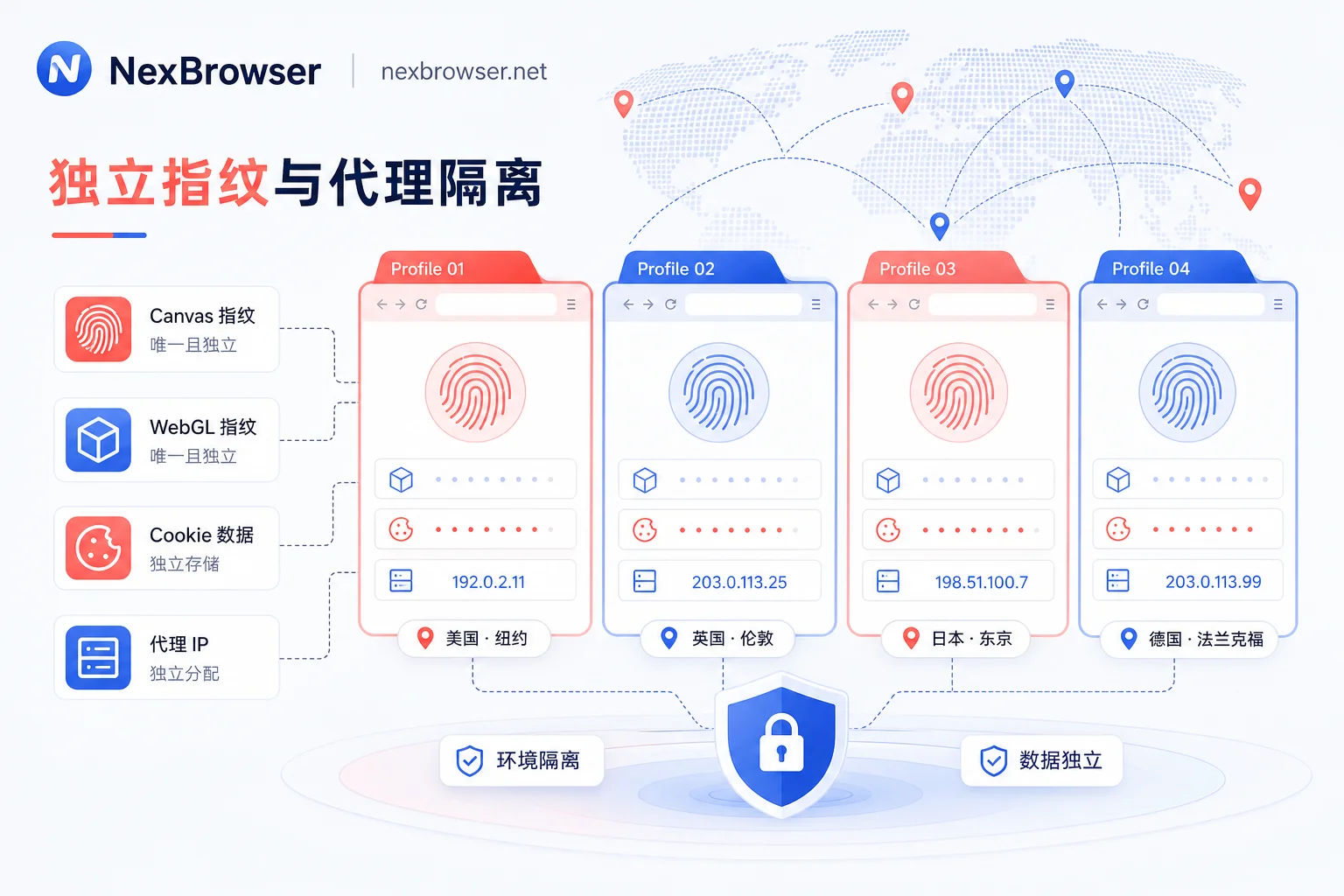
To address the core pain points of multi-account operations, professional multi-account management browsers build multiple independent "virtual browser environments" on a single physical device, assigning each account dedicated fingerprint parameters, storage space, and proxy IPs, ensuring stable operation in isolated, realistic, and consistent environments.
New Changes in Browser Fingerprinting and Platform Risk Control in 2026
According to the latest research reports from industry security organizations and media in July 2026, mainstream websites and digital advertising platforms have upgraded device fingerprint collection from single-dimensional attribute reading to multi-dimensional comprehensive behavior analysis. Since mainstream browsers do not fully embed strict fingerprint obfuscation mechanisms, platforms can easily extract highly unique device digital fingerprints through APIs such as Canvas rendering, WebGL hardware features, AudioContext audio context, and font enumeration.
Under such high-precision tracking mechanisms, common browser plugins (e.g., those that only modify User-Agent or simply inject random noise) often lead to parameter contradictions. For example: the User-Agent declares a Mac operating system, but the WebGL renderer leaks Windows graphics driver characteristics. This kind of "unnatural fingerprint forgery" is instead directly flagged as a high-risk session by risk control systems.
Meanwhile, research on "Browser Isolation" technology in the commercial security field also points out that ensuring complete isolation of session context, network requests, and local data is the most effective barrier against identity credential leakage and multi-session cross-contamination.
Comparison of Underlying Isolation Dimensions in Multi-Account Management Browsers
To achieve true multi-account security isolation, simply clearing browsing history is insufficient; a comprehensive underlying environment protection is required. The following table shows the essential differences in risk control protection among different management methods:
| Isolation Dimension | Regular Browser Multi-Tab/Incognito Mode | Browser Multi-Profiles | Professional Multi-Account Management Browser |
|---|---|---|---|
| Cookies & Cache | Shared or cleared at session end | Independently isolated | Fully independent isolated and persistently stored |
| Hardware Fingerprint (Canvas/WebGL) | Exposes real local hardware characteristics | Exposes real local hardware characteristics | Independently generated and logically consistent realistic fingerprint |
| Network & IP Management | Globally shared same IP/VPN | Globally shared same IP/VPN | Each environment independently bound to fixed proxy IP |
| Geolocation & Timezone | Depends on local system settings | Depends on local system settings | Automatically adjusts to match proxy IP |
| Team Multi-User Collaboration | Requires password sharing or cookie export | Cannot safely sync across machines | Fine-grained permissions, cloud collaboration, seamless sync |
Compliance Defenses and Pain Points in Team Multi-Account Collaboration
In daily cross-border team operations, multiple personnel often need to jointly maintain stores or social media accounts in different regions. Traditional collaboration models often have the following risks:
- Remote Logins Trigger Two-Factor Authentication: Team members log into main accounts directly from computers in different cities, triggering platform security checks due to sudden changes in physical IP and device characteristics.
- Plaintext Credential Transmission Risk: Sending login passwords or session data via instant messaging software easily leads to account asset leakage.
- Disorderly Automated Operations: Batch publishing or daily maintenance lacks standardized script support, resulting in inefficient manual repetition and frequent errors.
Therefore, solutions with comprehensive environment isolation and team permission control have become essential for modern cross-border teams.
NexBrowser in Practice: Building High-Isolation and Compliant Collaboration Systems
Facing platform risk control's strict requirements for environment consistency, professional tools like NexBrowser focus on providing compliant and controllable isolation environment support for cross-border teams.
In terms of underlying fingerprint control, NexBrowser provides independent browser environments with fingerprint/cookie/cache isolation, supporting native Chrome fingerprint simulation to ensure that Canvas, WebGL, Audio, and operating system underlying parameters of each browser environment remain highly consistent and self-consistent. It also integrates HTTP/HTTPS/SOCKS5 proxy management functions, ensuring that each environment is bound to a dedicated proxy network, avoiding platform alerts caused by IP fluctuations or mismatched geolocation.
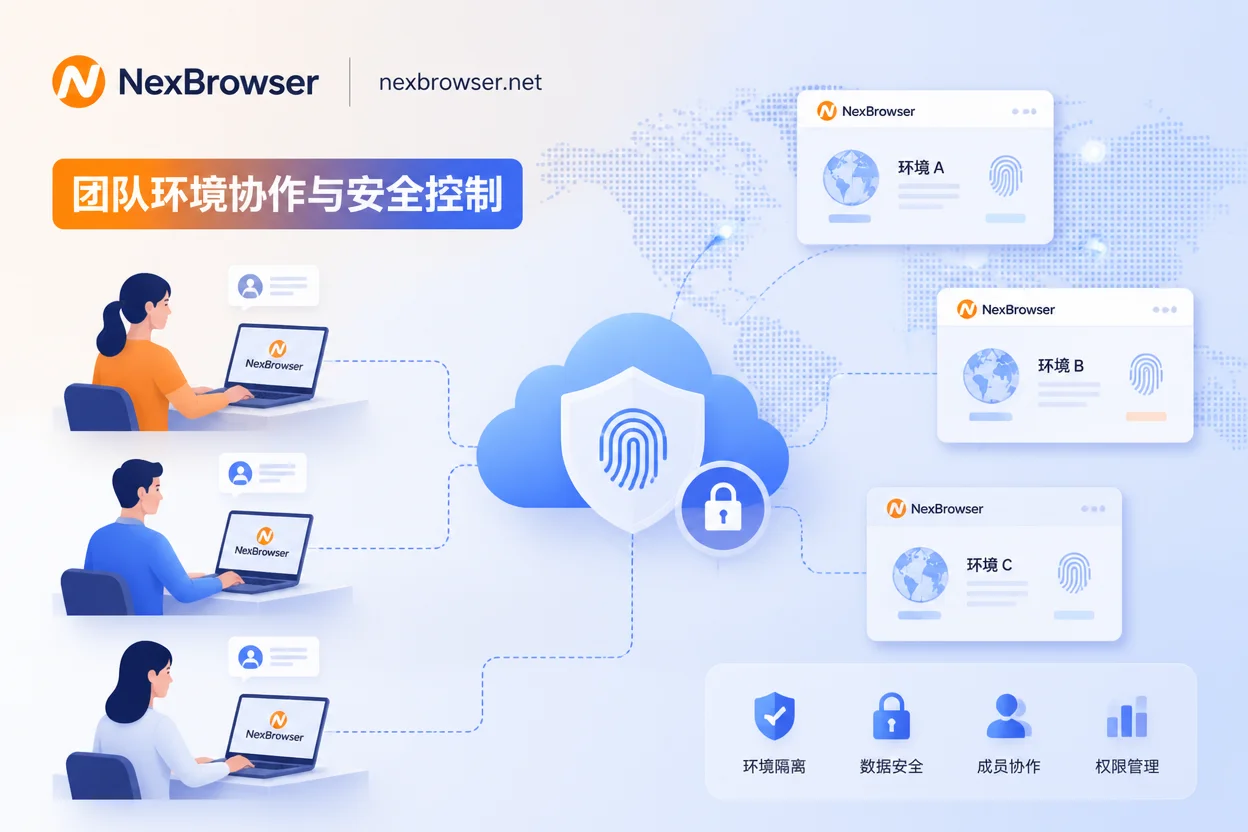
In terms of team efficiency and scalability, to address multi-person cross-device collaboration challenges, the platform offers team environment collaboration and window synchronization capabilities. Managers can securely authorize configured independent environments to operators without revealing account plaintext credentials. For compliant high-frequency repetitive operations, NexBrowser also supports Local API, WebDriver, and no-code RPA automation, helping teams improve operational efficiency while adhering to platform rules.
Team Compliance Operation Checklist
- [ ] Environment Consistency Check: After creating a new environment, verify that the operating system, browser version, proxy IP geolocation, timezone, and language all match perfectly.
- [ ] Fixed Proxy Binding: Assign long-term stable residential or data center proxies to important store accounts to avoid frequent network node changes.
- [ ] Principle of Least Privilege: Assign environment management permissions by role, prohibiting cross-group export or sharing of sensitive environment configuration files.
- [ ] Automation Script Audit: When using Local API or RPA for automated product creation and data collection, set reasonable request intervals and behavior curves that mimic human operations.
Summary and Recommendations for Selection
When choosing a multi-account management browser, enterprises should focus on evaluating the tool's authenticity and underlying stability of fingerprint simulation, compatibility of proxy protocols, and team collaboration and API expansion capabilities. Through scientific technical isolation and standardized internal management processes, cross-border teams can achieve compliant and efficient global business expansion while ensuring account asset security.



Comments(0)